Build packages
A package build is the heart of kaji. You name the packages you want; kaji finds everything they need, builds it and keeps the result in a binary repository.
Make one
Builds > Package builds, then the + button.
Field |
What to put |
|---|---|
Name |
A short name for the build, such as |
Atoms |
The packages, one per line, written |
Portage tree |
The recipes to build from (see Portage trees). Choose a public one such as |
Upload to |
Your binary repository. What is built is signed and published there, and the next build reuses it. |
Pull from |
Repositories to take ready-made packages from before compiling anything (see Take ready-made packages (pull from)). |
Portage configs |
Optional settings for how packages are built (see Choose how packages are built (configs)). |
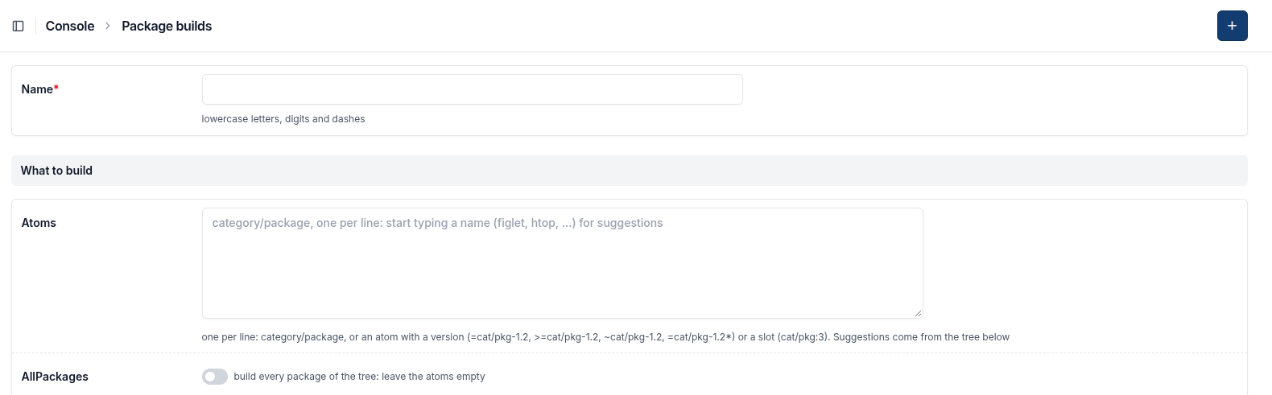
The top of the form: Name and Atoms, the packages you want. Below them come the tree, the repository to upload to, the ones to pull from and the configs.
Press Save. The build plans first, then builds.
What happens next
Planning. kaji works out every package needed, which of them it already has or can take ready-made, and what has to be compiled, in what order. The result is the plan and its graph (see Follow a build: status, graph and logs).
Building. The jobs run in parallel, as many at a time as the plan allows and there is room for. One job builds one or more packages.
Succeeded. Everything is in your repository. kaji then checks it against security advisories (see Security: vulnerabilities in what you build).
If the build fails, open its page: the jobs table shows which job failed and links its log.
Options you may meet
Plan only — plan and report how many jobs are needed, but start nothing. Switch it off later to go ahead; switch it on to pause a running build.
Copy pulled — also copy what is taken from another repository into yours (see Take ready-made packages (pull from)).
Packages per job and Maximum parallel jobs — how finely the work is split, and how many jobs run at once. The defaults are sensible.
CPUs per job and Memory per job — what each job asks for. Large packages (browsers, compilers) need more memory.
Mail me when it is done
On a build’s page there is Mail me when this finishes: you are mailed once, whether it succeeded or failed, with a link back.
Running it again
A finished build is a record: change what it is built from by making a new one. Delete a build you no longer need with Delete on its page.