Signing keys
Everything kaji builds for you is signed with a GPG key, so that whoever installs it later can check it is what you built. The private key stays in one place that only your repository’s upload proxy reads, and builds only ever see its fingerprint.
Make a key
Secrets > Signing keys, then +. Give it a name and save: kaji creates the key pair for you (an ed25519 key with no passphrase).
Email on the key: the public key is published with your repository, so the address on it is public. Leave the field empty to use the address of your account, or type one you do not mind showing. It cannot be changed afterwards.
Import a key you have
Paste its private key under Import an existing key (gpg --armor --export-secret-keys <fingerprint>). It must have no passphrase, because it
is used unattended.
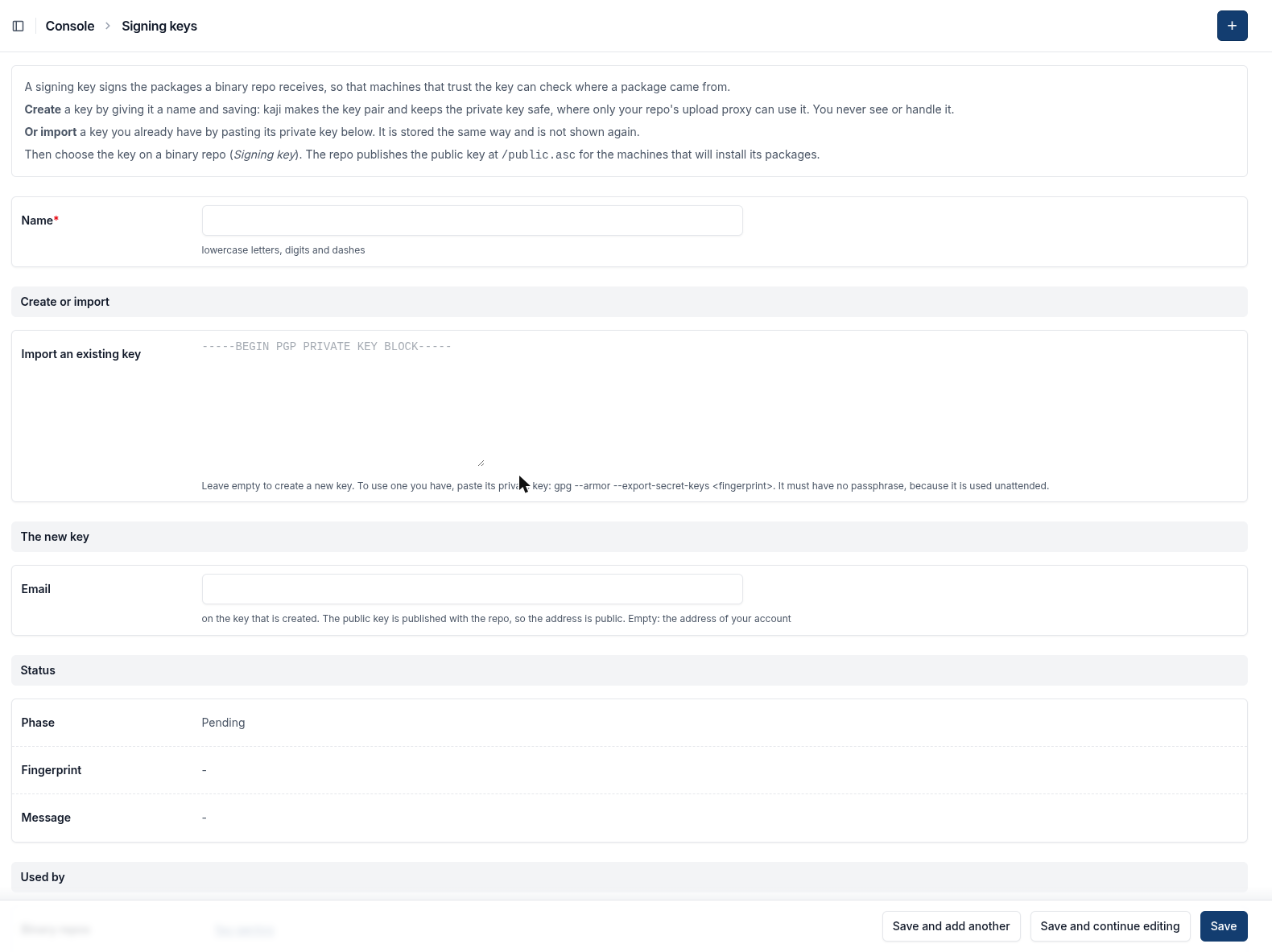
Create a key by naming it, or import one you have. Email is the address on a new key: empty means your account’s.
Use it
In a binary repository, choose the key under Signing key. The list offers your keys and those your organization shared. The upload proxy then signs every package uploaded to the repository.
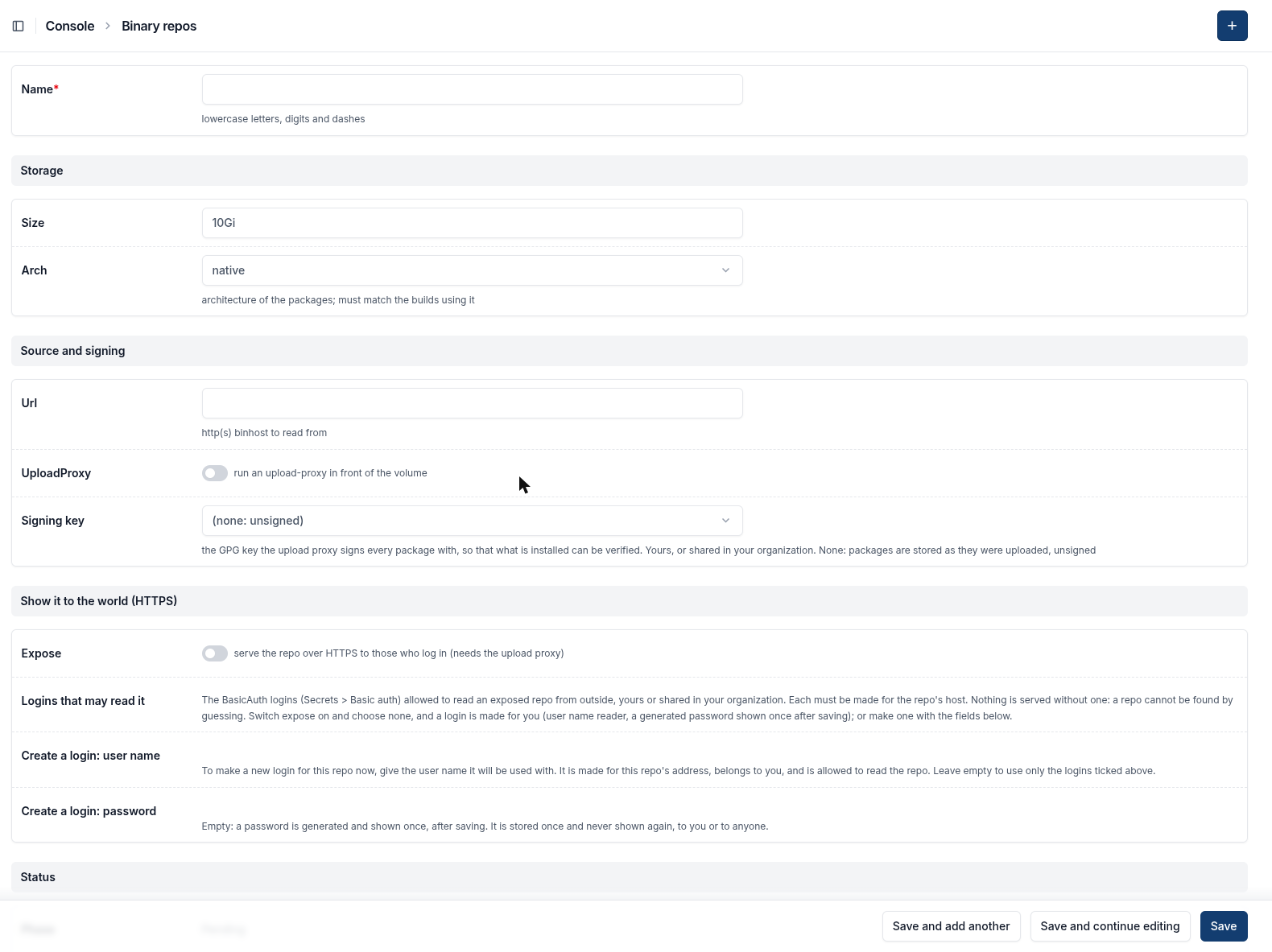
On a repository, Signing key lists the keys you may use; Upload proxy is what builds publish through.
Note
A key is private to the person who made it. You can share it in your organization so that colleagues’ repositories may use it; they never see it. A repository without a signing key stores packages as uploaded, unsigned.