The walk-through
The quickest way to learn kaji is to build something with it. The walk-through takes you through one complete job: an nginx web server, built from source, ending as a container image in your own registry. It highlights each field in the console and says exactly what to type. About five minutes of clicking, plus the waiting while kaji builds.
It is offered the first time you sign in, and you can take it again at any time from your name’s menu (top corner), Walk-through: an nginx container.
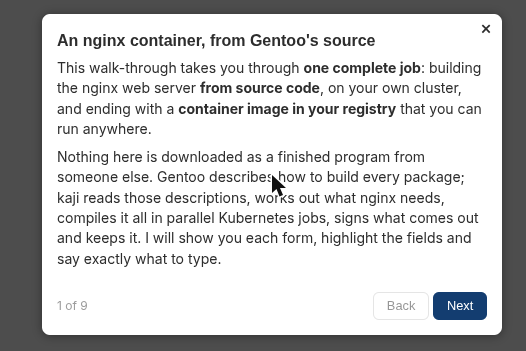
The walk-through opens with what is about to happen.
What you make, in this order
A signing key. A GPG key that signs everything you build.
A binary repository. Where your builds are kept, with an upload proxy so build jobs can publish to it.
A package build of
www-servers/nginx. You choose a public tree (kaji/gentoo-old), tell it to take ready-made packages from the public repository of FAU’s mirror of Gentoo (kaji/fau-gentoo) and to copy what it takes into your repository, and a shared config (kaji/server). The tour waits here until the build has succeeded.A root filesystem of that build.
A container registry, with a login made for it.
A container build that makes the image and pushes it. Its entrypoint is the program,
/usr/sbin/nginx, alone on one line; its arguments (-ganddaemon off;, among others) go on lines of their own.
What the tour does not make
It does not make a Portage tree or a second repository: the public ones are used, and the tour explains what they are.
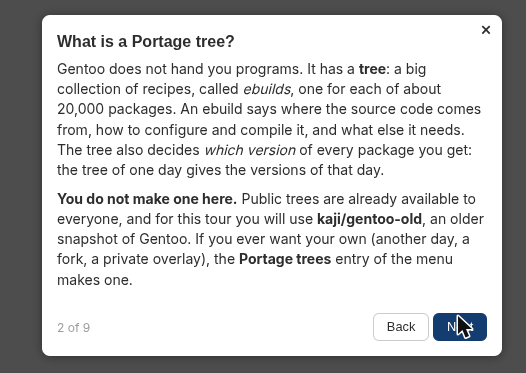
It explains a Portage tree, and uses the public one.
Taking it again
The tour carries on from where you stopped: it asks what you have already made and skips that. A build that is still running is not finished, so the tour waits for it at the end of its page and the Continue button stays closed until it has succeeded. If a build fails, the tour says so and stays there until you have fixed it and it has succeeded. Close the tour at any time: Resume the walk-through, in the corner, brings you back.
Tip
Several people can take the tour at the same time. Where each one is lives in their own browser tab. What counts as already made is what they may see: everything their organization owns, and their own keys.