Registries and logins
A container registry keeps images and hands them out: docker pull and podman pull talk to one. Pushing an image needs a registry that
will accept it, and a login for it.
Make a registry
kaji can run one for you. Builds > Container registries, then +:
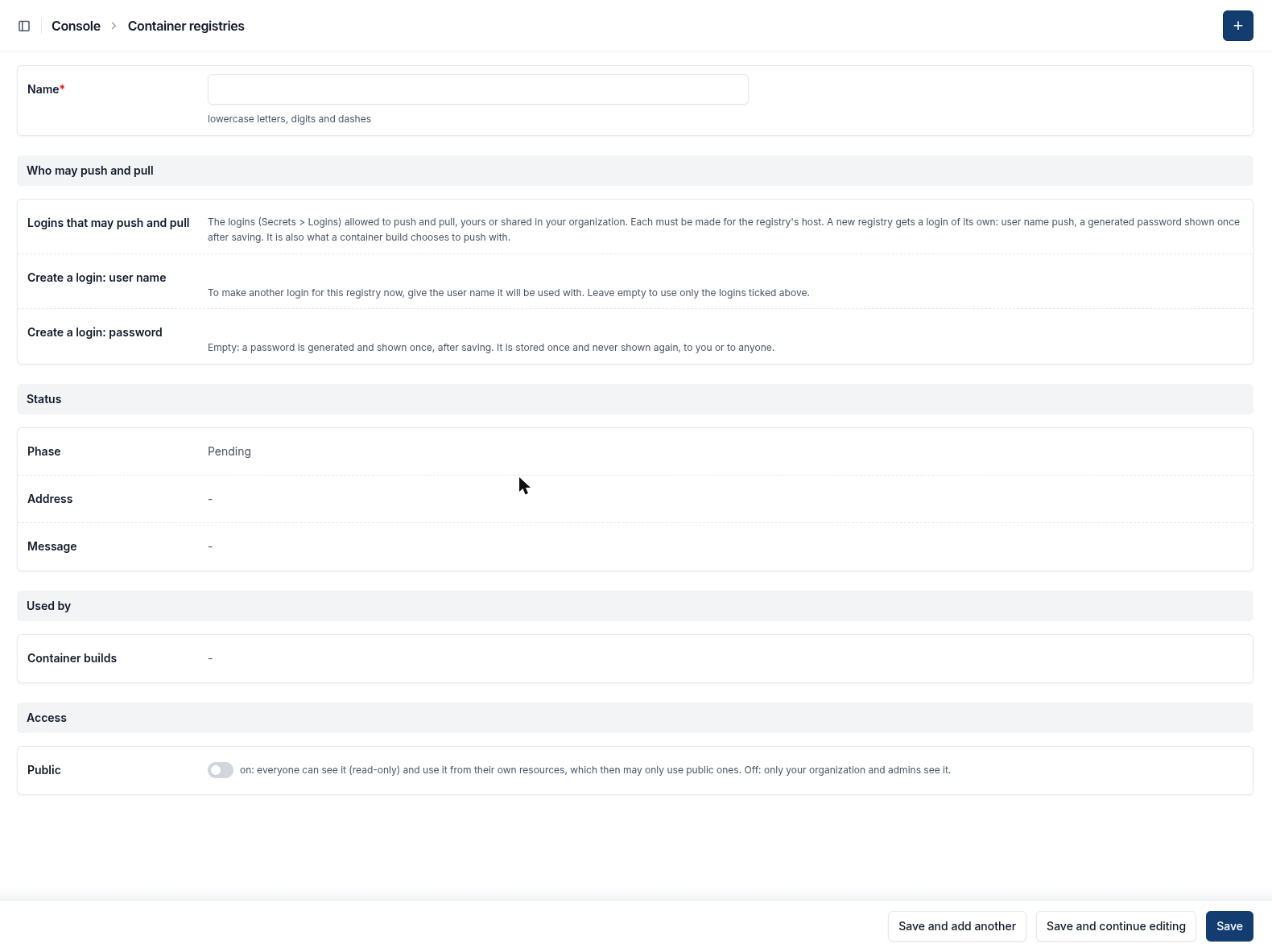
A new registry needs only a name; the login for it is made when you save.
Name it, for example
images. Its address is made from the name; you see it after you save.Leave Who may push and pull empty. kaji makes a login for the registry: the user name
pushand a long generated password.Save. The phase goes from Pending to Ready in a minute or two.
The password is shown once, in the message at the top of the next page. Copy it if you want to use docker login yourself. It is kept as a
secret and listed under Secrets > Logins. The container build you make next chooses it as its push login, so you never have to handle it.
Logins
A login is a user name and a password for one host, kept under Secrets > Logins. The password is written once and never shown again, to you or to anyone. A login is sent to its host and nowhere else: a container build refuses a login that is for another registry.
You can share a login in your organization (so colleagues’ builds may use it); they can use it but never see it.
Other kinds of secret
Signing keys — see Signing keys.
SSH keys and access tokens — to clone a private tree (see Portage trees).